
Search “how does ChatGPT appear on Citibank” and you’ll find a mix of official features third party apps and marketing pages that blur the line between them. That confusion matters because the answer changes depending on which “ChatGPT and Citibank” setup someone has actually talking about.
Here’s the short version: Citibank has not built a direct partnership with OpenAI. When people talk about ChatGPT working with Citibank data they usually mean one of two things — OpenAI’s own Finance feature which connects through a data aggregator or a separate third party app that asks for account access. The difference between these two paths matters more than most guides let on.
How Does ChatGPT Appear on Citibank Accounts Today?
ChatGPT doesn’t log into Citibank directly and Citibank doesn’t push data to ChatGPT on its own. Instead connection happens through account aggregation technology — the same kind of infrastructure that budgeting apps have used for years.
OpenAI rolled out a native Finance feature that lets a user link checking, credit card and investment accounts through a data connector then ask questions in plain language about spending, balances and portfolio performance. Citibank accounts can be included. Because the underlying aggregator supports thousands of US banks not because Citi built a custom integration.
Separately, some independent companies offer “connector” tools that promise to link ChatGPT to a specific bank including Citi Private Bank. Many of these integrations rely on AI automation to streamline workflows. Learn more in Claude Auto Mode Is Changing How Developers Work Smarter, where we explore how AI automates complex tasks for developers. These are not run by OpenAI or Citibank. They’re built by outside firms using developer facing protocols and they deserve extra scrutiny before anyone hands over account access.
The Two Paths, Side by Side
| OpenAI’s Native Finance Feature | Third-Party Connector Apps | |
| Built by | OpenAI | Independent companies |
| Data path | Established aggregator (e.g., Plaid) | Varies by vendor |
| Availability | Rolled out gradually by plan tier | Often requires a paid subscription |
| Oversight | OpenAI’s own privacy and security policies | Vendor’s own policies — read them carefully |
| Best for | Everyday budgeting questions | Niche use cases some users specifically want |
What Data Aggregators Actually Power This Connection
Most people never realize the “ChatGPT-Citibank” connection runs entirely through third party data aggregators, not a direct bank-to-AI pipeline. Understanding which aggregator sits behind a tool tells you more about safety than the AI brand name does.
| Aggregator | Banks Supported | Data Access Level | Used By |
| Plaid | 12,000+ US institutions | Read-only balances, transactions, holdings | OpenAI Finance feature, most budgeting apps |
| MX | 16,000+ US institutions | Read-only, with enriched transaction categorization | Various fintech and banking apps |
| Finicity (Mastercard) | 10,000+ US institutions | Read-only, verification-focused | Lending and mortgage platforms |
| Yodlee | 17,000+ global institutions | Read-only, broader international coverage | Wealth management and budgeting tools |
The aggregator matters because it determines encryption standards, how long data is cached, and whether the connection uses OAuth (log in directly on your bank’s page) or screen scraping (entering bank credentials into a third-party form). OAuth is the safer standard and the one Citibank supports.
Why People Search for a ChatGPT–Citibank Connection

Most people asking this question want one of three things as a faster way to see spending across accounts, help understanding fees or a sanity check before a financial decision. ChatGPT can genuinely help with all three once account data is available in a session because it can summarize numbers and flag patterns much faster than scrolling through a banking app.
That said convenience isn’t the same as advice. ChatGPT can organize and explain what’s in front of it but it isn’t a fiduciary, a registered advisor or a substitute for a licensed professional when the stakes are high — an estate plan, a large rollover or a lending decision for example.
What ChatGPT Can Actually See Once Connected
Once an account is linked through an aggregator, ChatGPT typically has access to balances, transaction history and holdings — but not full account numbers and not the ability to move money. That last part is worth repeating because it’s the detail people worry about most.
No legitimate connection method, official or third party, should allow ChatGPT to initiate a transfer, pay a bill or place a trade. If a tool claims otherwise that’s a signal to stop and verify before proceeding.
Security Considerations Before You Connect Anything
Linking any AI tool to a bank account — Citibank included — introduces a new point of exposure even when the connection itself is read-only. Privacy should always come first when using AI tools. Our guide on How to Have Password-Protected Chats in Claude shares practical tips for protecting sensitive conversations, securing your account, and reducing privacy risks when working with AI. The weak link in past financial sector breaches has rarely been the bank; it’s usually been a connected vendor.
Before connecting an account to any tool claiming a ChatGPT-Citibank link, run through this checklist:
- Confirm whether you’re using OpenAI’s own feature or a separate company’s app — they carry different levels of accountability.
- Check that authentication happens on your bank’s own login page not a form built by the connecting app.
- Look for a clear, specific statement that the connection is read only and cannot move funds.
- Verify you can revoke access from your bank’s side not just the app’s side.
- Avoid typing full account numbers, Social Security numbers or passwords directly into any chat.
Red Flags That Signal an Unsafe Connector
Some warning signs apply regardless of which app claims to link ChatGPT and your bank.
| Red Flag | Why It Matters | Safer Alternative |
| Asks for your Citibank username and password directly | Legitimate tools never see your credentials; only your bank’s login page should | Confirm authentication redirects to Citibank’s own domain |
| No mention of read-only access | Vague permissions language often means broader access than needed | Look for explicit “read-only” or “cannot move funds” language |
| No visible way to revoke access | Suggests the vendor controls the connection, not you | Confirm you can revoke from Citibank’s account settings directly |
| Requests a subscription before showing a privacy policy | Prioritizes monetization over disclosure | Read the privacy policy before entering any bank details |
| Promises features beyond viewing data, like automated bill pay | Exceeds what safe read-only connections should ever offer | Treat any transfer or payment claim as a serious warning sign |
A Simple Way to Test the Connection Safely
Anyone experimenting with this for the first time can start with a low-stakes question rather than a full financial review. Asking something general — “What’s a healthy savings rate for my income bracket?” — checks whether the tool responds sensibly before handing over real account access.
From there a natural next step is a single, specific question tied to actual connected data such as a spending breakdown for the past month. If the answer lines up with what the bank’s own app shows the connection is working as expected.
Using ChatGPT for Citibank-Related Financial Questions Without Linking Accounts
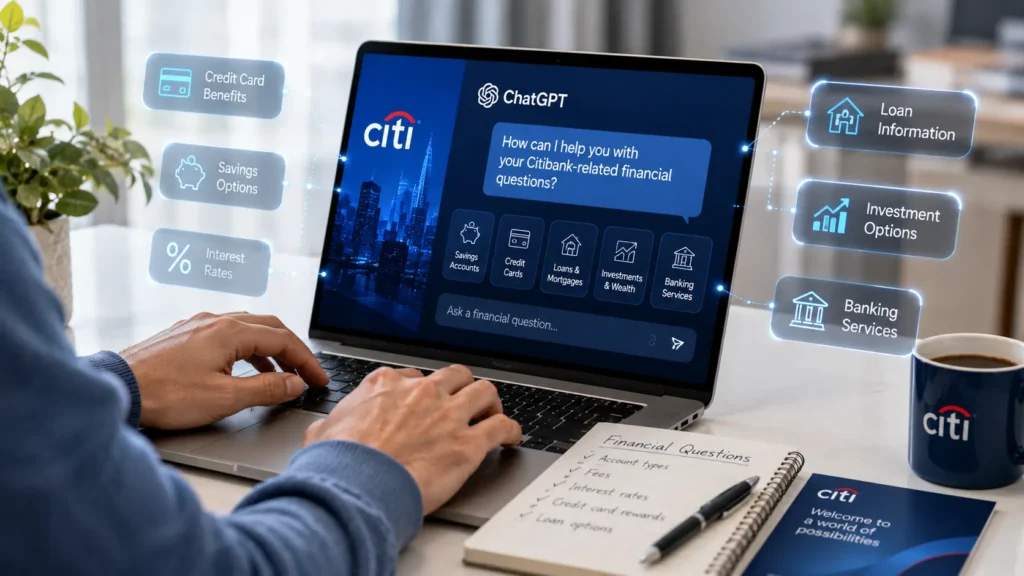
Not everyone needs to connect an account to get value out of ChatGPT for financial planning. Rounded numbers and hypothetical scenarios go a long way — someone can describe a balance range, a debt amount or a savings goal without naming the bank or including identifying details.
This approach trades a bit of convenience for a meaningful drop in exposure and it’s a reasonable middle ground for anyone who wants AI assisted planning without a live data feed running in the background.
Final Thoughts
The real answer to how does ChatGPT appear on Citibank comes down to which product someone is using: OpenAI’s own Finance feature working through a standard aggregator or a separate third party app making its own promises about security and access. Neither one represents an official partnership between OpenAI and Citibank and that distinction should shape how comfortable anyone feels connecting real account data. Whichever path you choose, treat account linking the way you’d treat any financial decision — read the fine print, confirm the access is read only and keep a professional in the loop for anything beyond routine budgeting. Developers interested in AI productivity tools may also enjoy our Claude Code vs GitHub Copilot comparison, which explains how today’s leading AI coding assistants differ in real-world use.
FAQs
How do I connect my bank account to ChatGPT?
There’s an official path and a third-party path, and they’re not the same thing:
Official: OpenAI has a native Finance feature (rolled out first to Pro users) — go to Settings → connect accounts, or the “Finances” option in the sidebar if you have access. If you’re also comparing premium AI subscriptions, read our Claude Pro vs Max: Plan You Work in 2026 guide to understand how Claude’s paid plans differ in features, usage limits, and pricing. It links accounts through a data aggregator (Plaid), letting ChatGPT see balances, transactions, and holdings — read-only, no ability to move money.
Third-party connectors: Some outside companies offer “connector” apps (via developer/MCP settings) that link ChatGPT to a specific bank. These aren’t run by OpenAI or your bank, so verify the OAuth login happens on your actual bank’s page and that access is explicitly read-only before using one.
What are the 4 categories of AI used at Citi?
Citi uses four classes of Artificial Intelligence as Dynamic AI, Auto AI, Static AI and Cognitive AI, generally used to support things like fraud detection, process automation and customer facing tools. Worth noting: Citi also publishes other AI use case frameworks (like a 7-category breakdown for agentic AI), so the “4 categories” answer specifically refers to this classification.
What is the 8/65 rule for Citibank?
This is a credit card application rule, not an account or banking rule: you can typically only apply for a new Citi credit card every 8 days, and only two new Citi credit cards every 65 days — a third application within that window will almost certainly be automatically denied. One important caveat: Citi does not officially publish this rule — it’s derived from data points reported by applicants over the years, and Citi can change its practices at any time.
Is there live chat for Citibank?
Yes. You can contact a Citi customer service representative by phone, mail, or live chat, and you can log in to your online account, then go to Citi’s Contact Us page to initiate a live chat. It’s also available through the Citibank mobile app and website, though it’s generally best for simple questions and basic account inquiries, with the option to escalate to a live agent if needed.