
Have you ever wanted to upload a real photo and instantly change the clothing, hairstyle or background or create a brand-new image while keeping the face realistic? Every chatgpt alternative image edit ai tool promises this but only a few deliver without frustrating flaws.
Whether you are creating social media content, marketing visuals, fashion mockups or personal edits, today’s image editing models can preserve facial identity while making natural-looking changes. This guide ranks the best choices, exposes their weak spots and shows which one fits your needs. ChatGPT is best known for text generation so many users now want specialized image tools with sharper creative control. If you’re curious about how ChatGPT is expanding into other areas, read our How Does ChatGPT Appear on Citibank? Full 2026 Guide to learn about its financial integrations.
What Is a ChatGPT Alternative Image Edit AI?
A chatgpt alternative image edit ai is an image generation or editing platform that lets you upload an existing photo and transform it with simple text instructions.
Instead of struggling with complicated traditional software, you can type prompts like:
- Change the person’s outfit to a blue business suit.
- Replace the background with a modern office.
- Make the photo look like it was taken during sunset.
- Create another image of the same person wearing casual clothes.
The best tools protect facial features, body proportions and overall identity while making only the requested edits.
Why Smart Users Are Abandoning a Single Platform
Many users search for other platforms because they want:
- More image generations each day
- Lower subscription costs
- Faster processing
- Better face consistency
- Higher image resolution
- Stronger editing controls
- Commercial usage options
Different tools specialize in different strengths so the right choice depends on your goals.
BeTop AI Tools for Editing Real Photos at a Glance
| Tool | Best For | Face Consistency | Ease of Use |
| Gemini Flash Image Edit | Quick photo edits | Excellent | Very Easy |
| Flux Kontext | Clothing and object replacement | Very Strong | Easy |
| Sora Image Editing | Premium creative edits | Excellent | Easy |
| ComfyUI with Stable Diffusion | Advanced customization | Excellent with setup | Advanced |
| Bagel | Open source editing | Solid | Intermediate |
| Step X Edit | Detailed instruction following | Very Strong | Easy |
| ICEdit | Fast image modifications | Solid | Easy |
| HiDream | Creative image generation | Solid | Easy |
Gemini Flash Image Edit Makes Photo Editing Effortless
Google’s Gemini Flash Image Edit has become one of the easiest solutions for editing existing photographs. Gemini image editing supports text-and-image-to-image editing, allowing users to modify elements of an uploaded image with prompts.
It understands natural language instructions well and usually keeps faces recognizable during clothing or background changes. It shines with small or medium edits but it can stumble when you request a complete transformation.
Flux Kontext Dominates Outfit Replacement
Flux Kontext is one of the strongest choices for outfit replacement and image editing. It can:
- Change clothing
- Replace accessories
- Modify environments
- Preserve facial identity
- Improve lighting
Results are often impressive, although very complex requests may subtly distort facial details. Detailed prompts usually restore consistency.
Sora Image Editing Delivers Stunning Realism
Sora has expanded beyond video generation and now offers impressive image editing capabilities. Its strengths include realistic lighting, accurate facial preservation and cinematic quality. Many creators prefer it for professional content because edited images look natural instead of overly artificial.
For portraits, lifestyle photography and advertising concepts, it delivers excellent quality.
ComfyUI With Stable Diffusion Unlocks Total Creative Control
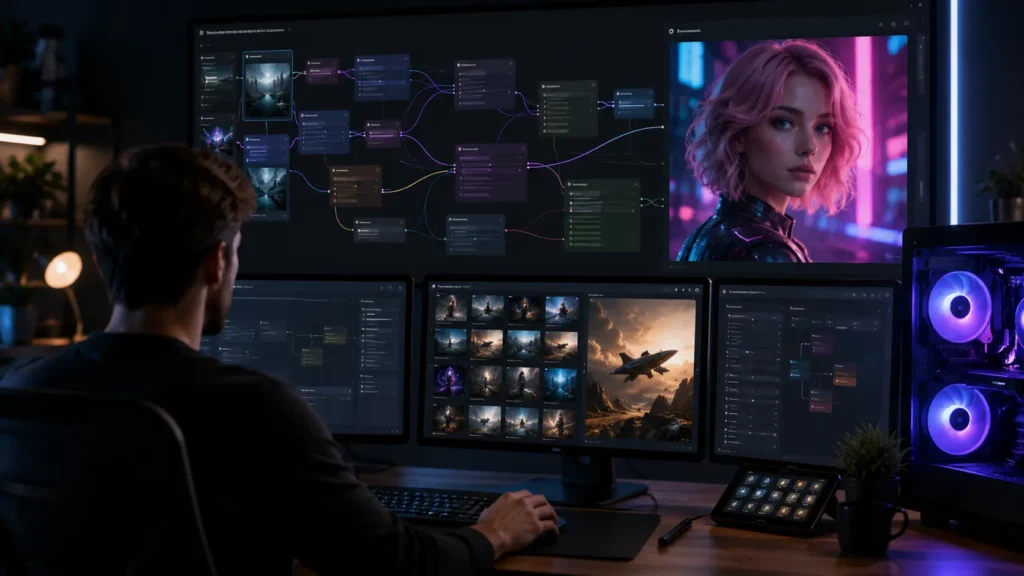
Users who want complete control often choose ComfyUI. Unlike simple web applications, ComfyUI supports advanced workflows built on Stable Diffusion models, ControlNet, IP Adapter, LoRA models and face preservation techniques.
Why Advanced Users Trust ComfyUI
Setup demands technical knowledge and can feel overwhelming at first but the rewards are significant:
- Maximum customization
- Stronger identity preservation
- Custom workflows
- Multiple editing models
- Local processing
- Community-created extensions
People with modern GPUs can generate high-quality edits without relying entirely on cloud services.
Bagel Gives Open Source Fans a Flexible Edge
Bagel is an open source project designed for instruction-based image editing. It performs well when changing clothing, poses, accessories or scenery while keeping the original person recognizable.
Because it is open source, developers keep improving its editing quality. That makes it an attractive option for users who enjoy experimenting with new workflows, though beginners may find the learning curve steep.
Step X Edit Follows Instructions With Precision
Step X Edit focuses on understanding detailed editing instructions. Instead of making unnecessary changes, it modifies only the requested parts of the image. This precision protects facial features and body structure better than many older editing models.
It works especially well for fashion portraits and product photography.
ICEdit Wins the Speed Race
ICEdit emphasizes fast editing with minimal effort. Upload a photo, describe the desired change and receive an updated version within moments.
It is ideal for casual users who need quick edits without adjusting advanced settings but it offers fewer controls for demanding projects.
HiDream Blends Creation and Editing Seamlessly
HiDream combines image generation and editing in one simple workflow. It performs well when creating artistic variations, changing outfits, replacing backgrounds or generating alternative versions of the same subject.
Face consistency is generally solid but complex edits may take several attempts before you get a perfect result.
Strengths and Weaknesses of Each Tool Revealed
| Tool | Biggest Strength | Biggest Weakness |
| Gemini Flash Image Edit | Effortless, natural-language edits | Struggles with total transformations |
| Flux Kontext | Precise outfit and object swaps | Complex prompts can distort faces |
| Sora Image Editing | Cinematic, realistic lighting | Best results need detailed prompts |
| ComfyUI with Stable Diffusion | Unmatched customization | Steep setup and hardware demands |
| Bagel | Free, flexible and evolving | Rougher experience for beginners |
| Step X Edit | Accurate, targeted changes | Less suited to artistic experiments |
| ICEdit | Fast, simple results | Limited advanced controls |
| HiDream | Creative variety in one workflow | Multiple attempts often needed |
Proven Tips to Protect Face Consistency
Keeping a person’s identity accurate depends on both the model and the prompt. Follow these best practices:
- Upload a high-resolution photo.
- Keep the face clearly visible.
- Request only necessary changes.
- State that facial features must remain unchanged.
- Avoid combining too many edits in one prompt.
- Use reference images when supported.
- Generate multiple versions and choose the best result.
Small, focused edits usually produce more realistic outcomes than a long list of changes.
Costly Mistakes That Ruin AI Photo Edits
Even the best tools fail when users repeat these errors:
- Uploading blurry or low-light photos
- Writing vague prompts like “make it better”
- Stacking five or six edits in one request
- Ignoring lighting differences between the subject and the new background
- Skipping a zoomed-in check for warped hands, eyes or teeth
Safe and Ethical Editing You Should Never Ignore
Realistic face editing carries real risks. Edit only photos you own or have permission to use. Avoid deceptive edits that mislead viewers and check each platform’s commercial usage terms before publishing results. Some platforms may also store or reuse uploaded images so review privacy policies before uploading personal photos.
Which Tool Is Best for You?

The right choice depends on your experience level.
- Beginners: Gemini Flash Image Edit and Sora offer simple interfaces with excellent image quality.
- Clothing replacement: Flux Kontext remains one of the strongest options.
- Maximum control: ComfyUI with Stable Diffusion supports advanced workflows and deep customization.
- Open source lovers: Bagel offers an appealing balance between flexibility and quality.
Final Thoughts on Choosing the Smartest Option
If you need a chatgpt alternative image edit ai, you now have several capable options. Gemini Flash Image Edit, Flux Kontext, Sora, ComfyUI, Bagel, Step X Edit, ICEdit and HiDream each bring different strengths, from beginner-friendly editing to advanced professional workflows. Your budget, technical skills and need for facial accuracy should guide the final decision. If you’re also evaluating premium AI subscriptions beyond image editing, our Claude Pro vs Max: Plan You Work in 2026 guide compares pricing, features and usage limits across Claude’s paid plans.
FAQs
What is a free ChatGPT alternative with image upload?
Gemini and Microsoft Copilot are free ChatGPT alternatives that let you upload an image and ask questions or request edits. Free plans are fast and beginner-friendly but they usually come with daily limits, slower speeds during busy hours and fewer advanced controls than paid plans.
Which ChatGPT alternative for image generation is free?
Gemini, Microsoft Copilot and Leonardo AI offer free image generation with daily credits or limits. ComfyUI with Stable Diffusion is completely free to run locally, though it needs a capable GPU and a demanding setup. Cloud tools are easier but free results may include watermarks or lower resolution.
What are apps similar to ChatGPT for free?
Gemini, Claude, Microsoft Copilot, Perplexity and DeepSeek are popular free apps similar to ChatGPT. Each handles writing, research and everyday questions well. The trade-offs are message caps, restricted premium features and differences in image tools so test two or three before you commit.
What is the best ChatGPT alternative AI?
The best ChatGPT alternative AI depends on your task. Gemini suits quick photo edits, Claude excels at long-form writing and analysis and Perplexity leads in sourced research. No single tool wins everywhere so match the platform to your main goal and budget.