You type one sentence, wait a few seconds and a finished picture appears. That trick now powers product mockups, blog covers, ads and party invitations and choosing among the best ai image generation tools 2026 offers can feel like picking a car on a crowded lot.
This guide cuts through the noise. You will learn which tool wins each job, what it costs and which legal traps catch busy teams. Read it once then test two options with the same brief.
Why Your Choice Matters Right Now
Image quality has leveled up across the board. Most leading models now produce clean, believable results from the same prompt so the old question of “which one looks best” matters less than it used to.
The real differences now live in editing control, text accuracy, pricing and licensing. Pick wrong and you waste credits or publish something you cannot legally use.
How to Judge an Image Maker
Plenty of lists crown the best ai image generation tools 2026 can offer, but few explain the scoring. Here is the yardstick that matters for real work.
First, check prompt accuracy: does the picture match what you asked for? Next, test text rendering, because garbled lettering ruins posters and logos. Then look at editing, meaning whether you can fix one detail without redrawing everything. If ChatGPT’s editing features do not meet your needs, explore these ChatGPT alternative image editing tools to compare other ways to improve your visuals.
Finally, weigh cost and rights. A cheap plan that blocks commercial use costs more than a pricey one that clears you to publish.
Best AI Image Generation Tools 2026 at a Glance
This table gives you the short version before we dig into each tool.
| Tool | Best For | Standout Strength | Watch Out For |
| ChatGPT | Beginners and everyday edits | Conversational fixes and sharp text | Usually one image per request |
| Gemini (Nano Banana) | Google users, photo edits | Strong reference image handling | Fine edits feel less precise |
| Midjourney | Artistic, moody visuals | Rich textures and color | No free tier, public by default |
| Adobe Firefly | Photo retouching | Photoshop integration | Weaker as a pure prompt tool |
| Recraft | Logos and brand assets | Vector exports | Steeper learning curve |
| Ideogram | Posters and typography | Reliable lettering | Photorealism trails leaders |
| Muse Image (Meta) | Quick social creations | Built into WhatsApp and Instagram | Less control over detail |
ChatGPT: The Friendly All Rounder
If you want the shortest path from idea to image, start here. You describe a scene, read the result and say “make the sky warmer” or “move the logo left.” The tool listens and adjusts.
Its text rendering and instruction following stand out. It runs slower than some rivals, though and it typically returns a single image so plan for a few rounds of revision.
Gemini and Nano Banana: Smart Edits for Google Fans
Google’s image model lives inside Gemini which makes it handy if you already use Gmail, Docs or Android. It handles reference photos well so you can upload a product shot and ask for a new background.
Detailed touch ups take more patience here. You steer mostly through chat rather than markup tools which can feel clumsy for tiny corrections.
Midjourney: Where Style Becomes Signature
Designers keep returning to Midjourney for one reason: its pictures carry mood. Textures feel tactile, colors feel deliberate and the results often look like they came from a human art director.
It comes with trade offs. Images appear in a public gallery unless you pay for private modes and the platform offers no free trial right now. That setup suits artists more than confidential business projects.
Adobe Firefly: The Photographer’s Sidekick
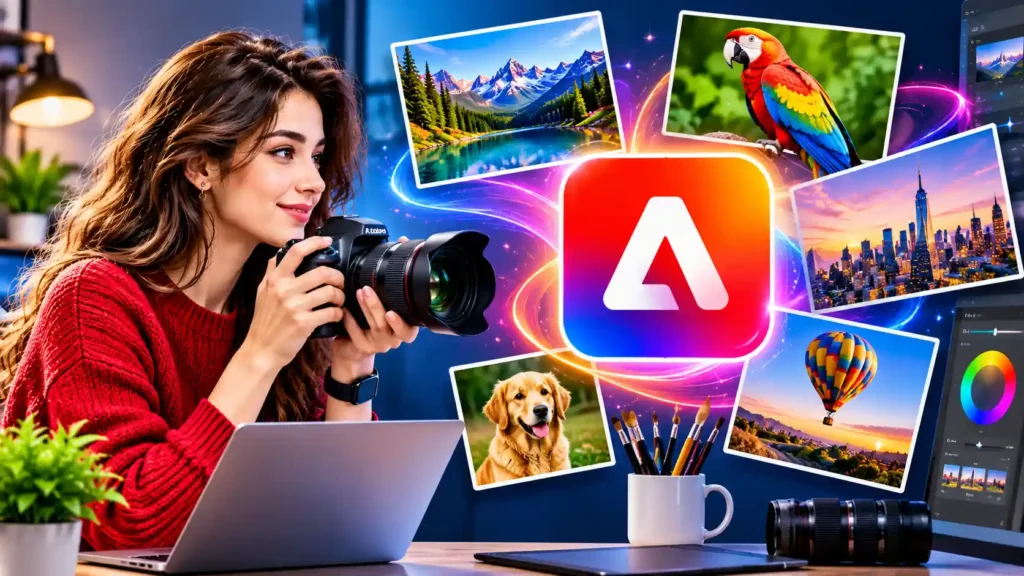
Firefly works best with a starting photo. Remove a stranger from a vacation photo, expand a background or swap a sky and the changes blend in seamlessly.
It works best with teams that are already using Adobe products. Photoshop is now compatible with other plugins, too so you can swap engines and still work in Photoshop.
Recraft: Built for Brand Designers
Recraft thinks like a design studio. You can generate matching sets of icons, lock in a color palette and export scalable SVG files that stay crisp at any size.
That feature alone saves hours for anyone producing logos, packaging or app graphics. Expect a longer learning curve than the chat based tools, because the workspace offers many controls.
Ideogram: The Typography Specialist
Need a poster with a headline that actually reads correctly? Ideogram earned its reputation here. Short slogans, event flyers and thumbnail concepts come out cleaner than on many competitors.
Photorealistic people and products look less convincing so match the tool to the job. Free credits also let you experiment before spending.
Muse Image: Convenient Creativity Inside Your Chats
Meta’s Muse Image lives where you already talk to friends. Turn a photo into a quick meme in WhatsApp or Instagram and you never open a separate app.
Editing works surprisingly well for a free tool. Text accuracy and fine control lag behind the leaders, but the convenience is hard to beat.
FLUX and Seedream for Builders
Developers who produce hundreds of pictures through code should look at FLUX and Seedream. Both run through programming interfaces and cost only a few cents per image at typical settings.
FLUX also offers open weight variants which lets privacy focused companies run it on their own hardware. Seedream suits high volume work such as blog thumbnails, where each draft costs very little.
Match the Tool to Your Goal
Short on time? Use this cheat sheet.
- Social posts and memes: Muse Image or ChatGPT
- Product photos with new backgrounds: Gemini or Firefly
- Logos and scalable graphics: Recraft
- Posters with readable headlines: Ideogram or ChatGPT
- Moody concept art: Midjourney
- Bulk automated production: FLUX or Seedream
Pricing Snapshot for US Buyers
Prices shift often so treat these numbers as starting points and confirm on each vendor’s page before subscribing.
| Tool | Free Access | Typical Paid Entry | Commercial Use Note |
| ChatGPT | Limited daily images | About $8 monthly (Go plan) | Allowed under OpenAI terms |
| Gemini | Limited quota | About $5 monthly via Google plans | Review Google’s terms |
| Midjourney | None reliable | From $10 monthly | Included on paid plans |
| Adobe Firefly | Limited daily credits | From about $10 monthly | Strongest for its own models |
| Recraft | Limited free plan | From about $12 monthly | Free plan images may be restricted |
| Ideogram | Weekly credits | Around $15 monthly (annual billing) | Check plan terms |
| Muse Image | Free in Meta apps | Meta One from about $8 monthly | Review Meta’s terms |
Hidden Costs Worth Knowing
Subscription price is only half the story. Some tools bill by credits and complex edits burn them quickly.
Revision rounds add up too. A model that nails your idea on the second try often costs less than a cheaper one that needs ten attempts.
Rights, Labels and Legal Basics
Here is the part most buyers skip. The U.S. Copyright Office has said that purely machine made output does not earn copyright protection without meaningful human creative input. Your edits, layouts and selections count as that input so document them.
Licensing varies by plan. Free tiers often restrict commercial use or make your images public. Always read the terms before you put a generated picture on a product page or an ad. For creators who plan to use AI-generated images in business projects, it is worth reviewing Adobe Firefly’s commercial-use guidelines to understand when generated images can be used commercially.
Provenance labels also matter. Google’s SynthID, C2PA metadata and Adobe’s Content Credentials help viewers verify how an image was made. Social platforms often strip the metadata, though so keep your own log with the prompt, tool name, version and date.
Prompt Habits That Raise Quality Fast

Strong prompts sum up everything a photographer needs to know. Name the subject, setting, lighting, lens style, mood and color palette in one clear sentence. Using the example below, learn what each word does in a strong prompt. Then change one detail per round. If you want to explore how AI can create images for a specific creative project, take a look at this AI image generator and see how it approaches visual creation.
“A ceramic coffee mug on a walnut desk, soft morning window light, shallow depth of field, warm neutral tones, no text.” Run the same brief in two tools before you commit. Compare edges, hands, shadows and any lettering. That ten minute test beats any review including this one.
Final Thoughts
No single winner fits everyone. The best AI image generation tools 2026 have each solved a different problem as ChatGPT for easy edits, Midjourney for style, Recraft for brand assets and Firefly for photo work.
Begin with a free option test it on a real project and check the license before you publish. Keep simple records of every image you use and you’ll be able to enjoy beautiful images and know your records are defensible.
FAQs
What are the free best AI image generation tools in 2026?
Gemini, ChatGPT, Adobe Firefly and Meta’s Muse Image offer the strongest free access in 2026. Each sets daily or account based limits. Leonardo gives 150 daily tokens and Magic Hour offers 10 images daily without an account. Start with Gemini or ChatGPT for easy results then compare one prompt across two tools.
Which tool is best for free image generation?
ChatGPT is the best free pick for most people. You describe the image in plain English then request changes in follow up messages and it renders text accurately. The free plan limits how many images you create so expect to wait or upgrade. Gemini is a close second if you prefer Google’s apps.
What is the best image generator for realistic photos?
Nano Banana in Gemini and ChatGPT’s image model rank among the most believable photos for everyday users. Midjourney is more expensive, and has a free trial, but it posts images publicly by default. Adobe Firefly is stronger for editing existing photos. Test the same prompts for 2 tools, and zoom in for hand and shadow details.
Which is better for image generation, ChatGPT or Gemini?
Choose ChatGPT for precise edits and readable text inside images. Choose Gemini if you work in Google apps or want strong reference photo handling such as swapping a product background. ChatGPT runs slower and usually returns one image. Gemini offers less fine editing control. Try one free prompt in both before you decide.